Postcards from the Future
What happens to technical debt when AI makes code cheap?
AI coding agents make software faster to build and technical debt easier to fix. But what happens when implementation moves faster than learning?
developer relations leader bringing business, community, and technology together
AI coding agents make software faster to build and technical debt easier to fix. But what happens when implementation moves faster than learning?

AI coding agents feel different from every abstraction before them. How software engineering keeps moving—and what happens when the abstraction includes us.

AI has made building software easier than ever. But the hardest question remains: should we build it? A reflection on why judgment, restraint, and knowing what not to build matter more in the age of AI.

Everyone uses the word "memory" but I feel like they all mean something different by it. What do you mean?
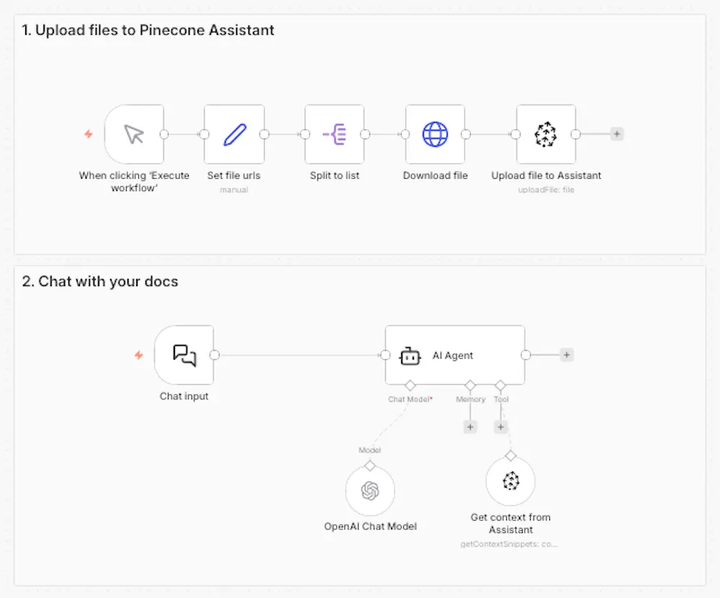
When building RAG workflows in n8n, you have two primary options for working with Pinecone: the Pinecone Assistant node and the Pinecone Vector Store node.